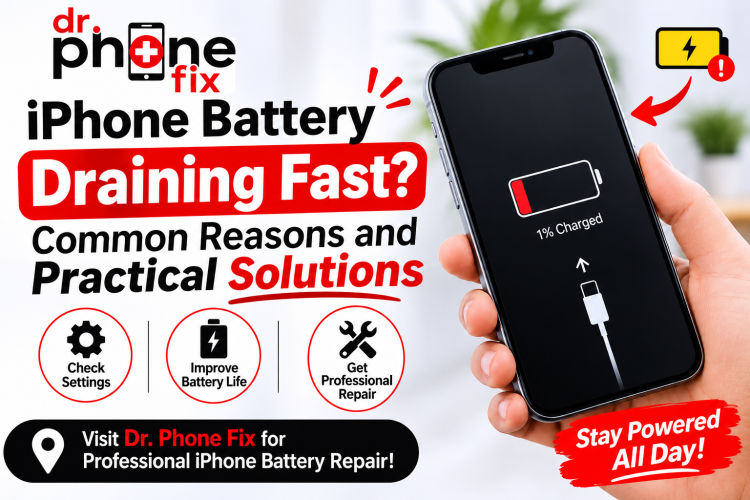
Is your iPhone battery dropping faster than ever, even when you're barely using it? You're not alone!
A quickly draining battery can interrupt your work, affect productivity, and leave you searching for a charger throughout the day.
Whether you use your iPhone for business, communication, entertainment, or everyday tasks, maintaining good battery health is essential. Understanding common iPhone battery issues can help you prevent unexpected shutdowns, improve performance, and decide when professional repair is necessary.
In this guide, Dr. Phone Fix explains why your iPhone battery drains quickly, practical ways to improve battery life, and when to consider professional repair services.
1. Why Does Your iPhone Battery Drain So Fast?
An iPhone battery naturally loses capacity over time. However, certain settings, applications, and hardware problems can accelerate battery consumption.
Here are some common reasons behind unexpected battery drainage.
Background App Activity
Some applications continue running background processes even when you are not actively using them. Social media, navigation, email, and messaging apps can consume significant battery power.
Practical solution:
-
Open Settings > General > Background App Refresh.
-
Disable background refresh for unnecessary applications.
-
Check Settings > Battery to identify apps consuming excessive power.
High Screen Brightness
Your iPhone display is one of the biggest battery consumers. Keeping brightness at maximum levels for extended periods can significantly reduce battery life.
Practical solution:
-
Enable Auto-Brightness.
-
Reduce screen brightness when possible.
-
Use Auto-Lock to turn off the display automatically.
Outdated iOS Software
Running an outdated iOS version can sometimes cause performance problems, software bugs, and unnecessary battery consumption.
Practical solution:
-
Open Settings > General > Software Update.
-
Check for available updates.
-
Install updates using a stable Wi-Fi connection.
Keeping your software updated can help improve device performance and address known battery-related bugs.
2. Battery Health: How to Identify a Weak iPhone Battery
One of the most important features for understanding iPhone battery issues is Battery Health.
Apple provides a built-in battery health indicator that helps users understand their battery's condition.
To check your battery health:
-
Open Settings.
-
Select Battery.
-
Tap Battery Health & Charging.
-
Review Maximum Capacity and Peak Performance Capability.
What does Maximum Capacity mean?
Maximum Capacity represents how much charge your battery can hold compared with when it was new.
For example:
-
100%: Battery capacity is equivalent to its original capacity.
-
90%: The battery holds approximately 90% of its original capacity.
-
80% or below: Battery ageing may noticeably affect everyday performance.
A battery below 80% is worth having assessed, particularly if you experience frequent charging or unexpected shutdowns. However, the percentage alone does not determine whether replacement is necessary.
3. Common Signs You Need iPhone Battery Replacement
Sometimes, changing settings or updating software is not enough. Physical battery deterioration may require professional attention.
Consider iPhone battery replacement if you notice these warning signs:
-
Rapid Battery Drain: Your phone loses charge unusually quickly.
-
Unexpected Shutdowns: Your iPhone switches off despite showing remaining battery.
-
Overheating: Your device becomes unusually hot during ordinary use.
-
Slow Performance: Your phone experiences performance limitations related to battery condition.
-
Charging Problems: The battery percentage fluctuates or charging becomes inconsistent.
A swollen battery is another serious warning sign. Stop using and charging the device, avoid pressing or puncturing it, and arrange professional service promptly.
Getting these symptoms inspected early can help prevent further device problems.
4. Practical Ways to Improve iPhone Battery Life
Before considering a repair, try these simple battery-saving techniques.
Enable Low Power Mode: This feature temporarily reduces background activity, automatic downloads, and certain visual effects.
Turn Off Unnecessary Location Services: Open Settings > Privacy & Security > Location Services and review which apps need location access.
Reduce Notifications: Frequent notifications can repeatedly wake your display and consume additional power.
Use Wi-Fi When Available: Wi-Fi generally consumes less power than a weak cellular connection.
Avoid Extreme Temperatures: Excessive heat and cold can affect battery performance and long-term battery health.
These small adjustments can improve everyday battery performance, although they cannot restore a physically degraded battery.
5. When Should You Choose Professional iPhone Battery Repair?
If your battery continues draining quickly after trying basic troubleshooting, the problem may involve battery degradation, charging components, or internal hardware.
This is where Professional iPhone battery repair services become important.
A qualified technician can:
-
Inspect battery health and charging behaviour.
-
Check for battery swelling or physical damage.
-
Identify potential charging port and power-related issues.
-
Recommend an appropriate battery replacement.
-
Test device functionality after repair.
Choosing an experienced iPhone repair store near me can save time and help prevent unnecessary repairs.
For customers searching for iPhone battery replacement near me, Dr. Phone Fix provides professional device repair solutions across Canada, helping customers get their smartphones back to dependable everyday use.
6. Why Choose Dr. Phone Fix for iPhone Battery Repair in Canada?
Your smartphone is an important part of your personal and professional life. Whether you manage a business, attend online meetings, communicate with customers, or stay connected with family, a dependable phone matters.
Dr. Phone Fix offers professional mobile and computer repair services across Canada, with more than 45 store locations.
Customers choose Dr. Phone Fix for:
-
Professional smartphone and computer repair solutions.
-
Support for various iPhone and other smartphone models.
-
Battery, screen, charging, and hardware repair services.
-
Convenient store locations across Canada.
-
Assistance with buying, selling, and repairing devices.
If you're looking for Professional iPhone repair Canada, Dr. Phone Fix is ready to help you find the right repair solution.
Visit your nearest location to have your device inspected and receive repair recommendations based on its condition.
7. How Much Does iPhone Battery Replacement Cost?
The cost of iPhone battery replacement depends on several factors, including:
-
Your iPhone model and generation.
-
Battery availability and specifications.
-
Device condition and additional hardware damage.
-
Labour and repair requirements.
Newer iPhone models may have different battery designs and repair requirements compared with older devices.
For an accurate estimate, contact your nearest Dr. Phone Fix store and ask about pricing and battery availability for your specific iPhone model.
Conclusion: Get Your iPhone Battery Back in Shape with Dr. Phone Fix
A rapidly draining iPhone battery doesn't always mean you need a new phone. Background applications, high screen brightness, outdated software, and natural battery ageing can all affect battery performance.
Start with simple troubleshooting, monitor your battery health, and seek professional assistance if the problem continues.
If you're experiencing persistent iPhone battery issues, Dr. Phone Fix is here to help. With more than 45 locations across Canada, we provide professional mobile and computer repair solutions to keep your technology working smoothly.
Don't let battery problems interrupt your day! Contact Dr. Phone Fix or visit your nearest store today for professional iPhone battery repair and replacement services.