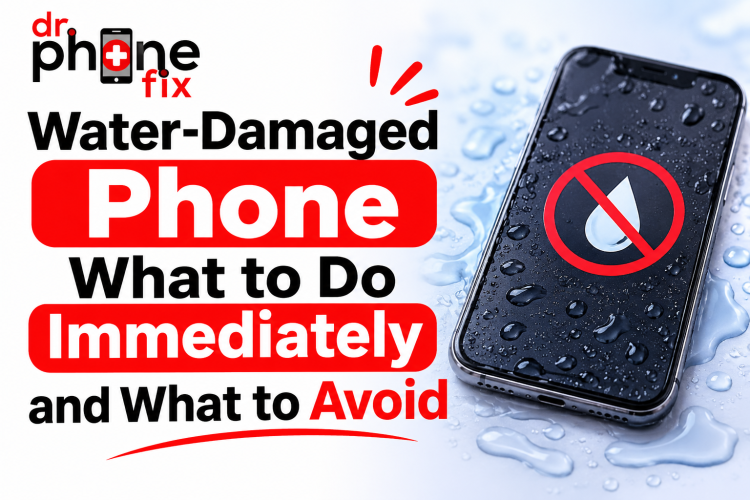
Dropped your phone in water? Don't panic! The next few minutes can make a big difference in saving your device.
From accidental spills to complete water immersion, knowing what to do immediately can prevent further damage and costly repairs.
Water damage is one of the most common reasons smartphones develop unexpected hardware problems. Even phones advertised as water-resistant can experience liquid damage over time. Whether you use an iPhone, Samsung, or another smartphone, taking the right steps can help protect your device.
In this guide, Dr. Phone Fix explains how to handle a wet phone, what mistakes to avoid, and when to seek professional water damage phone repair services in Canada.
1. What Happens When Water Enters Your Phone?
Modern smartphones contain delicate electronic components, including circuit boards, connectors, batteries, cameras, and charging ports. When water enters the device, it can interfere with electrical connections and damage internal components.
Water damage can cause several problems:
-
Short circuits: Liquid can create unwanted electrical connections between components.
-
Corrosion: Moisture can gradually damage metal contacts and circuit board connections.
-
Battery problems: Liquid exposure can affect battery performance and safety.
-
Display issues: Moisture can cause screen flickering, discoloration, or touch problems.
-
Charging failures: Water inside charging connectors can interrupt power delivery.
Even if your phone initially works after getting wet, corrosion may develop later. This is why timely mobile phone water damage repair is important.
2. What to Do Immediately After Your Phone Gets Wet
Taking quick action can reduce the risk of permanent damage. Follow these steps as soon as possible.
Step 1: Turn Off Your Phone
If your phone is still switched on, power it off immediately. Electricity flowing through wet electronic components can increase the risk of short circuits.
Avoid checking messages, opening applications, or testing whether the touchscreen works.
Step 2: Disconnect All Accessories
Remove charging cables, headphones, external accessories, and connected devices.
Never connect your phone to a charger while moisture may be present inside the charging port.
Step 3: Remove the Case and SIM Card
Take off the phone case and remove the SIM card tray if it can be safely removed.
This helps expose external openings and allows trapped moisture around the SIM tray to evaporate.
Step 4: Dry the Exterior Carefully
Use a clean, soft, lint-free cloth to gently wipe the outside of your phone.
Keep the charging port facing downward and gently tap the phone against your hand to help remove excess liquid. Avoid inserting tissues, cotton swabs, or other objects into openings.
Step 5: Let Your Phone Air-Dry
Place your phone in a dry, well-ventilated area with normal room temperature.
Allow sufficient time for moisture to evaporate. Avoid using the phone until it has been properly assessed, especially if it experienced significant liquid exposure.
If you suspect internal water damage, professional water damage phone repair is safer than relying on home drying methods.
3. What to Avoid When Your Phone Gets Wet
Some popular online repair tips can actually make liquid damage worse.
Here are common mistakes you should avoid:
-
Don't use a hair dryer: High temperatures can damage screens, adhesives, batteries, and internal components.
-
Don't put your phone in rice: Rice does not reliably remove internal moisture and may introduce dust or debris.
-
Don't charge your phone: Electricity and moisture can increase the risk of short circuits.
-
Don't press random buttons: Testing the device can introduce electrical activity while components are wet.
-
Don't shake your phone aggressively: This may spread liquid further inside the device.
-
Don't use compressed air: High-pressure air can push moisture deeper into internal areas.
Instead of experimenting with household solutions, consider professional mobile phone water damage repair to reduce the possibility of additional damage.
4. Signs Your Phone May Have Internal Water Damage
Sometimes water damage is not immediately visible. Your smartphone may continue working before developing problems hours or days later.
Watch for these warning signs:
| Warning Sign | Possible Problem |
| Screen flickering | Display or connector damage |
| Phone overheating | Electrical or battery issues |
| Battery draining quickly | Battery or circuit damage |
| Charging problems | Moisture in charging port or connector |
| Speaker distortion | Moisture affecting speaker components |
| Random shutdowns | Internal hardware damage |
| Camera fogging | Moisture inside camera assembly |
5. How Professional Phone Water Damage Repair Works
Professional repair involves more than simply drying a smartphone. Internal components may require inspection, cleaning, testing, and replacement.
At Dr. Phone Fix, the repair process may involve the following steps, depending on the device and damage.
1. Initial Inspection and Diagnosis
Technicians assess the phone for visible moisture, corrosion, damaged connectors, and other signs of liquid exposure.
2. Internal Component Inspection
The device may need to be carefully opened to inspect internal areas, including the motherboard, battery connectors, charging port, and display connections.
3. Cleaning and Corrosion Treatment
Where appropriate, technicians use electronics-safe cleaning methods to remove residue and corrosion from affected components.
4. Component Testing
Important components are checked to identify damaged parts and determine whether repairs or replacements are necessary.
5. Final Functionality Testing
After the repair, the phone is tested for charging, display performance, audio, cameras, and other functions.
The exact repair process depends on the type of liquid, exposure duration, phone model, and severity of damage.
6. Can Water-Damaged iPhones and Samsung Phones Be Repaired?
Yes, many liquid-damaged smartphones can be repaired, depending on the extent of internal damage.
iPhone Water Damage: iPhones include liquid contact indicators in certain locations. These indicators can help technicians identify liquid exposure, although they do not establish the full extent of internal damage.
Samsung Water Damage: Many Samsung devices include water-resistance ratings, but seals can deteriorate over time. Charging ports, speakers, and internal components can still experience liquid-related problems.
Professional mobile phone water damage repair can help identify whether the issue involves the charging assembly, battery, display, motherboard, or another component.
7. When Should You Visit a Phone Repair Shop Near Me?
If your smartphone has been submerged in water, exposed to a large spill, or is showing unusual symptoms, don't wait for the problem to become worse.
Search for a reliable phone repair shop near me that has experience diagnosing liquid-damaged devices.
Before choosing a repair provider, consider:
-
Experience with your smartphone brand and model.
-
Proper diagnostic and cleaning equipment.
-
Clear repair estimates.
-
Information about replacement parts.
-
Warranty terms for eligible repairs.
At Dr. Phone Fix, customers can seek professional assistance for smartphone problems, including liquid exposure and related hardware issues.
Also Read: Why Is My Laptop So Slow? 10 Common Causes and How to Fix Them
Conclusion: Protect Your Phone with the Right Repair Solution
Water damage doesn't always mean your smartphone is beyond repair. However, your actions immediately after exposure can make a significant difference.
Remember to switch off your device, disconnect accessories, dry the exterior, avoid charging, and never rely on rice or direct heat. Most importantly, seek professional assistance when internal liquid damage is suspected.
If you're looking for reliable water damage phone repair or mobile phone water damage repair in Canada, Dr. Phone Fix is here to help.
Contact Dr. Phone Fix today for professional mobile phone, iPhone, Samsung, laptop, and computer repair services. Get expert assistance and give your device the attention it needs!