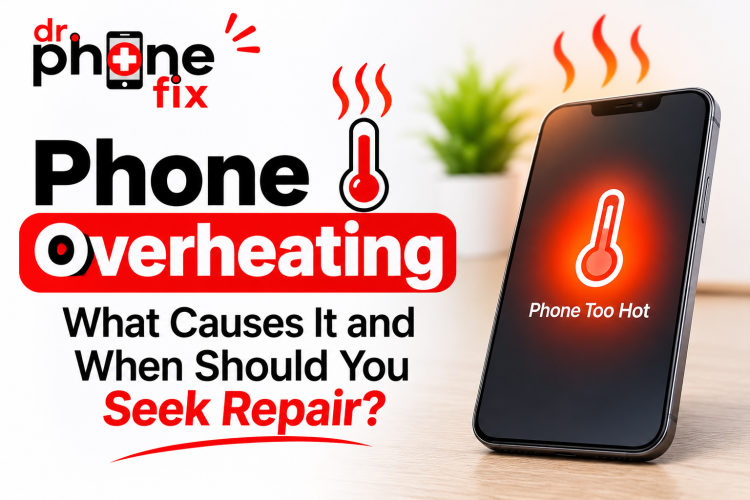
Have you ever picked up your smartphone and noticed that it feels unusually hot? Does your phone heat up while charging, playing games, watching videos, browsing the internet, or even performing simple tasks?
You're not alone. Phone overheating is one of the most common smartphone problems experienced by users. While it is normal for a smartphone to become slightly warm during demanding activities, excessive heat can indicate an underlying software, battery, charging, or hardware issue.
Ignoring repeated overheating can affect your phone's performance, battery health, and overall lifespan. In some cases, excessive heat can also create a safety risk.
But how do you know whether your phone is getting warm because of normal usage or whether it needs professional repair?
In this comprehensive guide, we'll explain the common causes of phone overheating, practical solutions you can try at home, warning signs you should never ignore, and when to seek professional mobile phone repair services.
Why Is My Phone Overheating?
Smartphones are powerful devices that perform multiple tasks simultaneously. From running applications and processing graphics to connecting to mobile networks and charging the battery, several internal components generate heat.
Your phone's processor, battery, display, and charging components can all contribute to temperature increases.
However, if your phone becomes extremely hot, heats up frequently without heavy usage, or displays temperature warnings, there may be an underlying problem.
Let's explore the most common reasons.
1. Too Many Applications Running in the Background
One of the biggest reasons behind smartphone overheating is excessive background activity.
Many applications continue working even when you're not actively using them. Social media platforms, navigation apps, messaging services, cloud backups, and location-based applications can consume processing power and battery in the background.
When multiple applications operate simultaneously, your phone's processor works harder, generating additional heat.
Common warning signs:
-
Your phone becomes warm even when you're not using it.
-
Battery percentage drops unusually quickly.
-
Applications take longer to open.
-
Your phone becomes slow or unresponsive.
How to fix it:
Close unnecessary applications, restrict background activity for apps that don't need it, and uninstall applications you no longer use.
You can also check your phone's battery settings to identify applications consuming excessive power.
2. Using Your Phone While Charging
Do you regularly play games, stream videos, or make long video calls while charging your smartphone?
This habit can increase heat generation.
Charging already produces some heat. When you simultaneously perform processor-intensive activities, your device has to manage additional heat from both charging and usage.
Over time, repeated excessive heating may contribute to battery degradation.
How to prevent it:
-
Avoid playing demanding games while charging.
-
Don't stream high-resolution videos for extended periods while charging.
-
Allow your phone to charge without intensive usage.
-
Place your phone on a hard, flat surface during charging.
-
Avoid covering your device with blankets or pillows.
Giving your phone a break while charging can help manage its temperature.
3. Faulty or Damaged Phone Battery
A damaged or deteriorating battery is another important reason for smartphone overheating.
Lithium-ion batteries naturally lose capacity as they age. However, physical damage, internal battery faults, or abnormal electrical behaviour can create more serious problems.
A faulty battery may cause your phone to heat up during charging, normal usage, or even while sitting idle.
Signs of a battery problem include:
-
The battery drains unusually quickly.
-
Your phone heats up during normal activities.
-
The device shuts down unexpectedly.
-
Battery percentage fluctuates unexpectedly.
-
The back panel or screen begins lifting because of battery swelling.
What should you do?
If you notice battery swelling, stop using and charging your phone. Do not press, puncture, or attempt to remove the swollen battery yourself. Arrange professional battery inspection and replacement.
A professional technician can determine whether the battery needs replacement or whether another internal component is responsible.
4. Playing High-Graphics Games for Long Periods
Mobile gaming has become increasingly demanding.
Games with high-resolution graphics, advanced animations, multiplayer functionality, and continuous internet connectivity require significant processing power.
Your phone's processor and graphics unit work harder during these activities, which naturally generates heat.
Why gaming causes overheating:
-
High CPU and GPU usage.
-
High screen brightness.
-
Continuous internet connectivity.
-
Extended gaming sessions.
-
Background applications running simultaneously.
Practical solutions:
Reduce graphics settings, lower screen brightness, close unnecessary applications, and take regular breaks during long gaming sessions.
If your phone becomes excessively hot even during light gaming, consider getting it inspected.
5. Using a Damaged or Low-Quality Charger
Your charging accessories play an important role in maintaining your smartphone's safety and performance.
Using damaged cables, faulty adapters, incompatible chargers, or poor-quality accessories may lead to charging problems and abnormal heat.
A damaged charging cable or adapter may also create inconsistent electrical connections.
Watch for these warning signs:
-
The charger becomes unusually hot.
-
Charging repeatedly connects and disconnects.
-
Your phone heats up near the charging port.
-
Charging takes significantly longer than usual.
-
You notice a burning smell or visible damage.
How to prevent charging-related overheating:
-
Use manufacturer-approved or reputable compatible chargers.
-
Replace damaged charging cables immediately.
-
Avoid loose or damaged charging adapters.
-
Keep charging ports clean and dry.
-
Never continue using accessories that show signs of electrical damage.
If the phone continues overheating with a known-good compatible charger, have its charging system inspected.
6. Software Bugs and Outdated Operating Systems
Sometimes, the problem isn't physical damage. Software-related issues can also cause excessive heating.
An application with a bug, an incomplete update, or a background process stuck in a loop may force your processor to work continuously.
This can increase battery consumption and temperature.
Possible symptoms:
-
Your phone heats up after installing an application.
-
Battery usage increases suddenly.
-
The device becomes slow after a software update.
-
Your phone overheats even when you're not performing demanding tasks.
What you can do:
-
Restart your smartphone.
-
Update your operating system.
-
Install application updates.
-
Remove recently installed applications that may be causing problems.
-
Check battery usage to identify applications consuming excessive power.
If overheating continues after troubleshooting, professional diagnostics may help identify the underlying issue.
7. Poor Network Connectivity and Continuous GPS Usage
Your phone may also heat up when it struggles to maintain a stable network connection.
When cellular signals are weak, your device may use additional power to maintain connectivity.
Similarly, applications that continuously access GPS can increase battery consumption and generate heat.
This commonly happens while:
-
Travelling through areas with weak network coverage.
-
Using navigation applications for extended periods.
-
Sharing your mobile hotspot.
-
Making long video calls.
-
Downloading large files over mobile data.
How to reduce the heat:
Use Wi-Fi when available, disable unnecessary location permissions, turn off mobile hotspots when not required, and avoid keeping navigation applications active when you don't need them.
8. Direct Sunlight and High Environmental Temperatures
Environmental conditions can significantly affect your smartphone's temperature.
Leaving your phone inside a parked vehicle, placing it in direct sunlight, or using it outdoors during extremely hot weather can cause it to overheat.
Smartphones are designed to operate within specific temperature ranges. Excessive environmental heat can interfere with normal operation.
Avoid these common mistakes:
-
Leaving your phone on a car dashboard.
-
Keeping your device under direct sunlight.
-
Charging your phone in hot environments.
-
Placing your phone near heaters or other heat sources.
If your phone becomes too hot, stop using it, disconnect the charger if safe, and move it away from direct sunlight. Allow it to cool naturally.
Never put your phone in a refrigerator or freezer to cool it quickly. Sudden temperature changes and condensation can damage internal components.
Before visiting a repair centre, there are several safe troubleshooting steps you can try.
Step 1: Stop Intensive Activities
Close games, video editors, navigation apps, and other demanding applications.
Give your phone a break so its internal components can cool down.
Step 2: Disconnect the Charger
If your phone is overheating while charging, disconnect it if safe to do so.
Check whether the cable or adapter shows visible damage. Avoid reconnecting a faulty charger.
If the phone is extremely hot, smoking, making unusual sounds, or showing battery swelling, move away and seek appropriate professional assistance rather than handling it.
Step 3: Remove the Phone Case
Some protective cases can reduce heat dissipation.
If your device is only moderately warm, removing the case may help it cool naturally.
However, do not handle a dangerously hot or damaged device.
Step 4: Reduce Screen Brightness
High screen brightness increases power consumption.
Lowering brightness and shortening screen timeout can help reduce heat during regular use.
Step 5: Restart Your Smartphone
A simple restart can stop problematic background processes and temporary software glitches.
If an application is causing excessive processor usage, restarting may help restore normal performance.
Step 6: Check Battery Usage
Open your battery settings and review which applications are consuming the most power.
If one application is using an unusually high percentage of battery, investigate its background activity or update it.
Step 7: Update Your Software
Install available operating system and application updates.
Software updates may resolve bugs that contribute to excessive battery consumption and overheating.
Important: If your phone repeatedly overheats despite these steps, don't keep ignoring the problem. It may require professional inspection.
When Should You Seek Professional Phone Repair?
Occasional warmth during demanding activities is generally normal. However, repeated or excessive overheating should not be ignored.
Here are some situations when professional mobile phone repair is recommended.
1. Your Phone Overheats Even When Idle
If your smartphone becomes unusually hot while sitting unused, an application, battery, or internal hardware component may be malfunctioning.
A technician can inspect the device and identify the cause.
2. Your Phone Heats Up While Charging
Repeated overheating during charging may indicate a problem with the battery, charging port, charging cable, adapter, or internal charging circuitry.
A professional inspection can help determine whether a component needs repair or replacement.
3. Battery Swelling or Screen Lifting
A swollen lithium-ion battery is a serious safety concern.
If the screen or back cover begins separating from the device, stop using and charging it. Never attempt to push the screen back into position.
Arrange professional battery service as soon as possible.
4. Your Phone Frequently Shuts Down
Unexpected shutdowns combined with excessive heat may indicate battery problems, hardware faults, or thermal protection being activated.
A proper diagnostic check is recommended.
5. You Notice a Burning Smell
A burning smell, smoke, unusual popping sounds, or extreme heat may indicate an electrical or battery safety issue.
Stop using the device, keep away from it, and seek professional safety guidance. Do not attempt to charge it again.
What Phone Components Can Cause Overheating?
If basic troubleshooting doesn't resolve the issue, a technician may need to inspect several internal components.
|
Component |
Possible problem |
|
Battery |
Battery deterioration or internal damage |
|
Charging port |
Damaged or loose charging connection |
|
Charging IC |
Charging circuit malfunction |
|
Processor |
Excessive processing load or hardware fault |
|
Motherboard |
Electrical or component-level fault |
|
Cooling system |
Heat dissipation or thermal management issue |
Not every overheating issue requires component replacement. Proper diagnostics should always come before repair recommendations.
How Can You Prevent Your Phone From Overheating?
Prevention is better than repair. Following a few simple habits can help keep your smartphone running efficiently.
10 practical tips to keep your phone cool:
-
Avoid prolonged gaming sessions.
-
Use reliable, compatible charging accessories.
-
Don't use your phone heavily while charging.
-
Keep your operating system updated.
-
Close unnecessary background applications.
-
Avoid leaving your phone in direct sunlight.
-
Reduce screen brightness when possible.
-
Disable unnecessary GPS and hotspot services.
-
Monitor battery performance regularly.
-
Get unusual heating issues inspected early.
These habits can help reduce unnecessary heat and support better battery performance.
Why Choose Dr. Phone Fix for Mobile Phone Repair?
When your smartphone repeatedly overheats, finding the right repair service is important.
At Dr. Phone Fix, customers can explore professional mobile phone repair services for common smartphone problems and hardware issues.
Our repair services include:
-
Battery Replacement: Assistance with worn-out or damaged phone batteries.
-
Charging Port Repair: Solutions for charging connection problems.
-
Screen Replacement: Repair options for cracked or damaged displays.
-
Mobile Phone Diagnostics: Help identifying possible hardware and software issues.
-
General Smartphone Repairs: Support for various mobile device problems.
Our focus is on identifying the underlying issue and recommending an appropriate repair solution.
Whether your phone is overheating while charging, draining battery quickly, or shutting down unexpectedly, getting the problem checked early can help prevent further complications.
Visit the official Dr. Phone Fix website to explore repair services and find a nearby location:
Frequently Asked Questions (FAQs)
1. Why does my phone get hot even when I'm not using it?
Background applications, weak network signals, software bugs, location services, and battery problems can all contribute to overheating. If the issue happens frequently, consider getting your device inspected.
2. Is it normal for a phone to get hot while charging?
Some warmth during charging is normal. However, excessive heat, repeated temperature warnings, unusual smells, or battery swelling should never be ignored.
3. Can an overheating phone damage the battery?
Yes. Repeated exposure to excessive heat can accelerate lithium-ion battery degradation and reduce battery capacity over time.
4. Should I put my overheating phone in the fridge?
No. Never put your smartphone in a refrigerator or freezer. Rapid temperature changes and condensation can damage internal components. Allow it to cool naturally in a safe, shaded location.
5. Can a faulty battery cause phone overheating?
Yes. A damaged or defective battery can cause abnormal heating, unexpected shutdowns, and rapid battery drain. Battery swelling requires immediate attention.
6. Why does my phone overheat while playing games?
High-performance games place additional demands on the processor and graphics hardware. Extended gaming, high brightness, and background applications can increase temperature.
7. Can a software update fix phone overheating?
Sometimes. Software updates can resolve bugs and improve power management. However, if the problem is caused by a faulty battery or hardware component, a software update alone may not solve it.
8. When should I replace my phone battery?
Consider professional battery inspection if your phone has poor battery life, unexpected shutdowns, repeated overheating, or battery swelling. A technician can determine whether replacement is necessary.
9. Can a damaged charging port cause overheating?
Yes. A damaged or loose charging connection can contribute to charging problems and abnormal heating. Have the charging port inspected if the area around it becomes unusually hot.
10. Where can I get professional phone repair services in Canada?
You can visit Dr. Phone Fix to explore mobile phone repair services and find a nearby store. Visit for more information.
Where to Find Reliable Mobile Phone Repair Services in Canada
Final Thoughts: Don't Ignore Repeated Phone Overheating!
A smartphone getting slightly warm during gaming, charging, or heavy usage is not necessarily a reason to worry. However, repeated overheating, sudden shutdowns, battery swelling, and excessive heat during normal activities can indicate a more serious problem.
The key is to understand the cause and take action before the issue becomes worse.
Start with simple troubleshooting, use reliable charging accessories, keep your software updated, and avoid exposing your device to excessive temperatures.
If your smartphone continues overheating, professional diagnostics can help identify the underlying issue and determine the right repair solution.
Need help with an overheating smartphone?
Get in touch with Dr. Phone Fix and explore professional mobile phone repair services.